

WPDesk – Automatic Payment Status WooCommerce

$4.99 Free for Members
Automatically change WooCommerce order status to Completed once payment is confirmed, using conditional rules based on payment gateway, product category, product type, or specific product.
| Version | 2.0.26 |
|---|---|
| Last Updated | September 24, 2026 |
| Type | WordPress Plugin |
| License | GPL v2 or later |
| Live Demo | View demo → |
100% GPL · Original files · Unlimited sites
- Original, unmodified files — delivered exactly as distributed by the developer
- GPL licensed — use it on unlimited websites, personal or client
- Free updates — new versions appear here as soon as they are released
- Verified downloads — every file is integrity-checked (SHA-256) before release
Distributed under the GNU General Public License. Not affiliated with the original developer; official support, license keys and developer-hosted services (such as one-click updates) are available only from the developer.
Secure checkout with PayPal · GPL licensed · Instant download
Description
This WooCommerce plugin changes order status automatically when the conditions you set are met, so paid orders can move to Completed without manual work. You build the rules from the admin panel using conditional logic, and no coding or hooks are needed.
Key Features
- Automatic order completion – Orders are marked Completed automatically after a successful payment instead of being updated by hand.
- Conditional logic rules – You decide which orders qualify by setting conditions that must be fulfilled before the status changes.
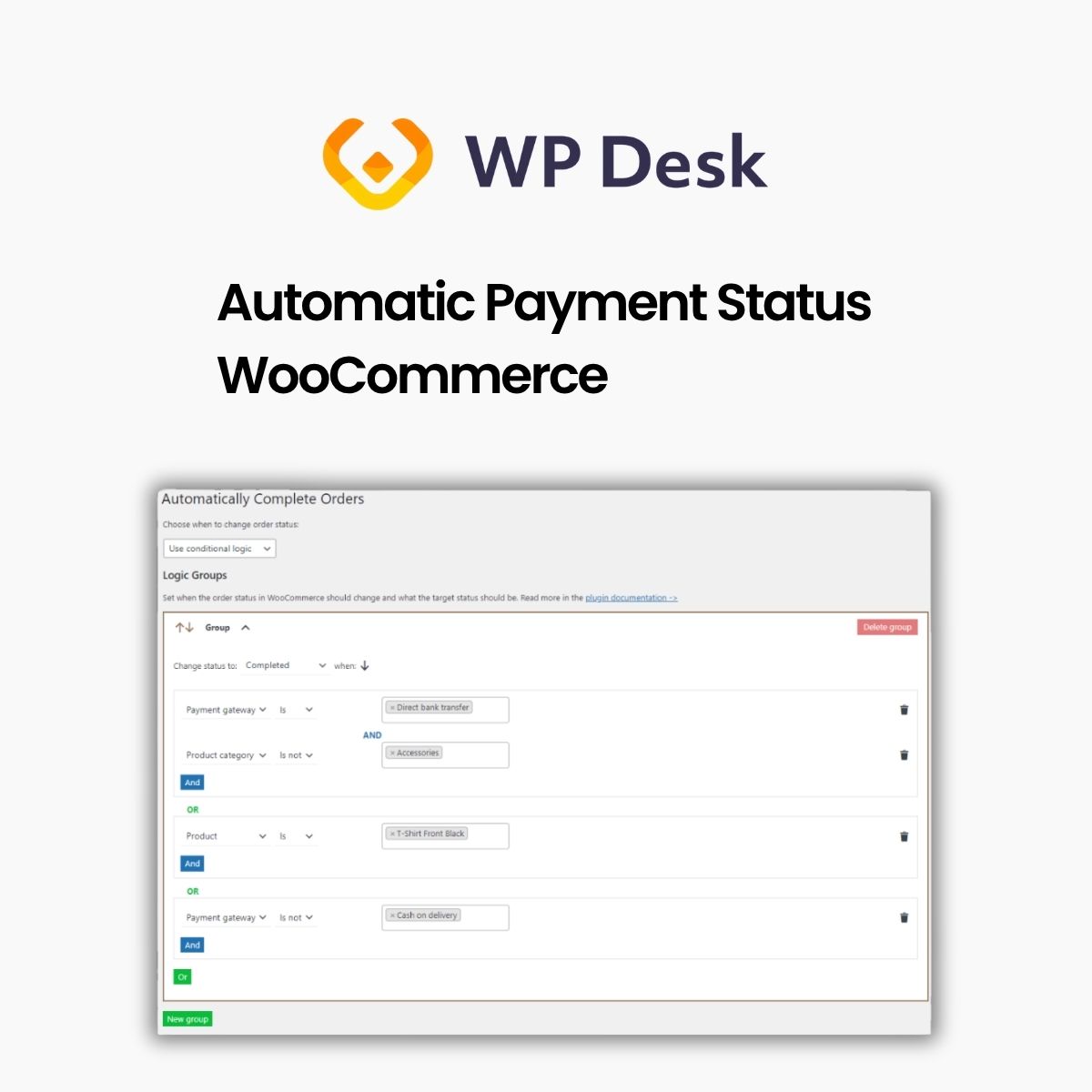
- Four condition types – Rules can be based on the payment gateway, product category, product type, or a specific product.
- No hooks needed – You configure the automation in the settings, so you do not have to write code with WooCommerce hooks.
- Is and Is not operators – Each condition can be set to match or exclude a value, which lets you narrow down which orders are affected.
- AND/OR logic groups – Multiple condition groups can be combined with AND or OR to shape more detailed automation rules.
- Choose target status – When setting up a group, you pick which order status that group should change the order to.
Who Is It For
It is aimed at WooCommerce store owners who sell digital goods or services and want paid orders to reach Completed without manual status updates. It suits shops that need order status changes limited to particular gateways, categories, product types, or products.







