
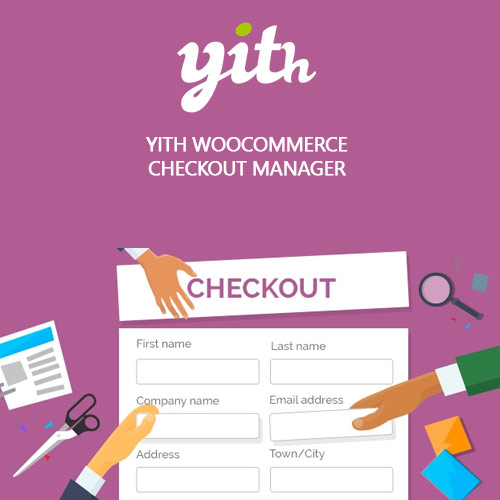
YITH WooCommerce Checkout Manager Premium


$4.99 Free for Members
Customize the WooCommerce checkout page by adding, removing, reordering, and styling fields, including conditional fields and custom layouts.
| Version | 1.56.0 |
|---|---|
| Last Updated | May 28, 2026 |
| Type | WordPress Plugin |
| License | GPL v2 or later |
| Live Demo | View demo → |
100% GPL · Original files · Unlimited sites
- Original, unmodified files — delivered exactly as distributed by the developer
- GPL licensed — use it on unlimited websites, personal or client
- Free updates — new versions appear here as soon as they are released
- Verified downloads — every file is integrity-checked (SHA-256) before release
Distributed under the GNU General Public License. Not affiliated with the original developer; official support, license keys and developer-hosted services (such as one-click updates) are available only from the developer.
Secure checkout with PayPal · GPL licensed · Instant download
Description
YITH WooCommerce Checkout Manager is a WordPress plugin that gives you advanced control over the WooCommerce checkout page. You can add or remove fields, arrange them with drag and drop, and adjust how the form looks and behaves. It also supports conditional fields that appear based on what is in the cart or what shoppers select.
Key Features
- Unlimited custom fields – You can add as many custom fields as you need to the checkout page.
- Multiple field types – Custom fields can be shown as text inputs, radio buttons, checkboxes, or multiple select menus.
- Drag-and-drop arrangement – You can move fields around the checkout page by dragging and dropping them.
- Customize standard fields – The standard Shipping, Billing, and Additional notes fields can be customized.
- One or two columns – You can choose whether the checkout fields are sorted in one column or two.
- Real-time field validation – Javascript Field Validation checks mandatory fields as the shopper types and asks them to correct errors before payment.
- Conditional fields – Fields can be shown or hidden based on products, categories, or tags in the cart and on what the shopper selects in other checkout fields.
- Labels and tooltips – You can add labels and tooltips to help shoppers fill out the form.
Who Is It For
This plugin is for WooCommerce store owners who want to change how the checkout page looks and works without coding. It suits shops that need extra fields, a different field order, or conditional questions during checkout.