


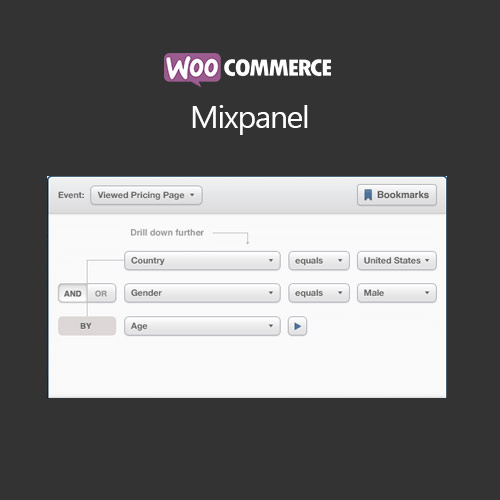
WooCommerce Mixpanel

$4.99 Free for Members
WooCommerce Mixpanel adds Mixpanel event tracking to your WooCommerce store, recording product views, cart interactions, checkout steps, and completed purchases for behavioral analytics.
| Version | 1.17.0 |
|---|---|
| Last Updated | March 29, 2021 |
| Type | WordPress Plugin |
| License | GPL v2 or later |
| Live Demo | View demo → |
100% GPL · Original files · Unlimited sites
- Original, unmodified files — delivered exactly as distributed by the developer
- GPL licensed — use it on unlimited websites, personal or client
- Free updates — new versions appear here as soon as they are released
- Verified downloads — every file is integrity-checked (SHA-256) before release
Distributed under the GNU General Public License. Not affiliated with the original developer; official support, license keys and developer-hosted services (such as one-click updates) are available only from the developer.
Secure checkout with PayPal · GPL licensed · Instant download
Description
WooCommerce Mixpanel is a WordPress plugin that connects your WooCommerce store to Mixpanel so customer actions are sent there as events. It records product views, cart interactions, checkout steps, and completed purchases, which you can then review as funnels, revenue reports, and real-time activity. A Mixpanel account is required.
Key Features
- One-Click Mixpanel Tracking – You connect your store to Mixpanel by saving your project token on the plugin settings page, after which events start being sent.
- Checkout Funnel Reports – Sales funnel reports show what percentage of shoppers are at each step of your checkout, and the funnel can be split by category or product.
- Revenue and Customer Metrics – You can follow revenue over time and break it down by product or category, alongside average customer counts and average revenue per customer.
- Real-Time Stream View – A built-in Stream view lets you watch activity on your store as it happens, which is useful during a sale or ad campaign.
- Customizable Event Names – Event and property names can be renamed in the admin area and switched off individually, so the data can match what you already collect in Mixpanel.
- Custom Event Tracking – You can record your own events by placing a code snippet in your theme.
- Subscription Event Tracking – With WooCommerce Subscriptions, the plugin records when subscriptions are activated, suspended, cancelled, renewed, and when free trials end.
- Customer Identity Linking – Logged-in customers are matched to their WordPress username or email address so their activity can be tied to an account.
Who Is It For
This plugin is for WooCommerce store owners and analysts who already use or want to use Mixpanel and need their store's customer actions recorded there. It suits shops that want to examine checkout funnels, revenue trends, and subscription behavior, including stores selling subscriptions through WooCommerce Subscriptions.







