


Wicked Folders Pro
$4.99 Free for Members
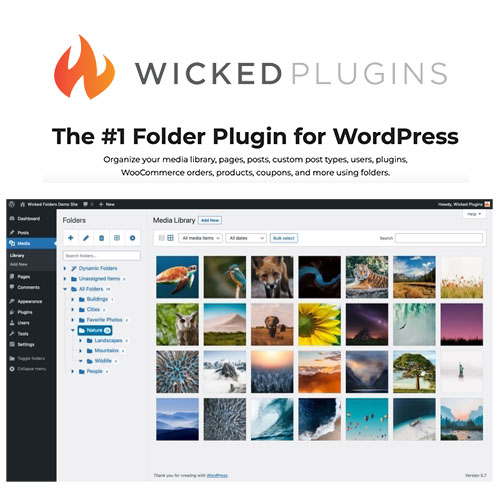
Wicked Folders Pro adds virtual folders to your WordPress media library, pages, posts, and custom post types. Drag and drop items between folders to organize large content libraries.
| Version | 4.2.0 |
|---|---|
| Last Updated | October 4, 2026 |
| File Size | 520.1 KB |
| Type | WordPress Plugin |
| License | GPL v2 or later |
| Live Demo | View demo → |
100% GPL · Original files · Unlimited sites
- Original, unmodified files — delivered exactly as distributed by the developer
- GPL licensed — use it on unlimited websites, personal or client
- Free updates — new versions appear here as soon as they are released
- Verified downloads — every file is integrity-checked (SHA-256) before release
Distributed under the GNU General Public License. Not affiliated with the original developer; official support, license keys and developer-hosted services (such as one-click updates) are available only from the developer.
Secure checkout with PayPal · GPL licensed · Instant download
Description
Wicked Folders Pro is a WordPress plugin that organizes your content using virtual folders rather than moving files on the server. You can create folder hierarchies and drag and drop items between them across the media library, pages, posts, and custom post types. It also supports folder permissions, bulk moves, and assigning new uploads directly to a folder.
Key Features
- Media Library Folders – Organize the WordPress media library into folders instead of one long list of files.
- Drag and Drop – Move items into folders by dragging them, so reorganizing a library takes less clicking.
- Bulk Move Items – Select several items at once and move them into a folder in a single action.
- Folders for Content Types – Apply folders to pages, posts, custom post types, users, plugins, and WooCommerce products, orders, and coupons.
- Folder Permissions – Set which user roles may view, edit, delete, or assign folders.
- Assign New Uploads – Send new uploads straight into a chosen folder instead of sorting them later.
- Folder Search – Filter your folder list by keyword to find a folder quickly.
- Unassigned Items Folder – See at a glance which items have not yet been placed in any folder.
Who Is It For
This plugin suits WordPress site owners and administrators who manage large media libraries or many pages, posts, and custom post types and want a folder structure without moving files on the server. It is also relevant to shops and sites using WooCommerce, Gravity Forms, WPForms, or TablePress that need to organize those items.







