


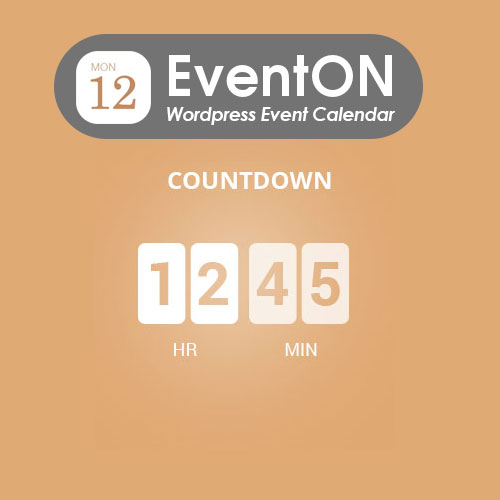
EventOn Event Countdown
$4.99 Free for Members
EventOn Event Countdown adds real-time countdown timers to EventON calendar events, showing time remaining until an event starts or ends. Timers can appear in the event display and optionally in event cards.
| Version | 1.2.1 |
|---|---|
| Last Updated | June 8, 2026 |
| Type | WordPress Plugin |
| License | GPL v2 or later |
| Live Demo | View demo → |
100% GPL · Original files · Unlimited sites
- Original, unmodified files — delivered exactly as distributed by the developer
- GPL licensed — use it on unlimited websites, personal or client
- Free updates — new versions appear here as soon as they are released
- Verified downloads — every file is integrity-checked (SHA-256) before release
Distributed under the GNU General Public License. Not affiliated with the original developer; official support, license keys and developer-hosted services (such as one-click updates) are available only from the developer.
Secure checkout with PayPal · GPL licensed · Instant download
Description
EventOn Event Countdown is a WordPress addon for the EventON calendar that places a live countdown clock on events. It shows how much time is left before an event begins or ends, and you can choose what happens once the timer runs out. Timers can also be included in event cards with different styles.
Key Features
- Real-Time Event Countdown – A live clock counts down the remaining time until an event, keeping visitors aware of how soon it begins.
- Event Top Integration – The countdown timer is built into the event's top section so it appears alongside the event details.
- Event Card Timer – You can optionally show the countdown inside the event card, with several styles to choose from.
- Start or End Expiry – Each countdown can be set to finish at either the event's start time or its end time.
- Expiration Actions – When a timer expires you can choose an action such as hiding the event, making it unclickable, blacking it out, or marking it sold out.
- Custom Expiration Offset – The countdown can be set to expire at a custom time offset from the event's start or end time.
- Per-Event Toggle – In the WordPress dashboard you edit an event, switch on the countdown timer in the sidebar, and adjust its settings.
Who Is It For
This addon is for WordPress site owners already using the EventON calendar who want to highlight how soon an event starts. It suits organizers of time-sensitive events such as fundraisers, shows, and classes who want visitors to act before a deadline.







