


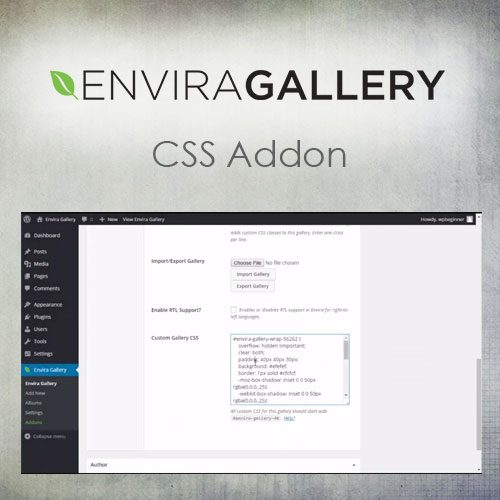
Envira Gallery – CSS Addon

$4.99 Free for Members
Envira Gallery – CSS Addon lets you add custom CSS to individual galleries. Style each gallery separately without editing your theme files.
| Version | 1.3.7 |
|---|---|
| Last Updated | February 12, 2024 |
| Type | WordPress Plugin |
| License | GPL v2 or later |
| Live Demo | View demo → |
100% GPL · Original files · Unlimited sites
- Original, unmodified files — delivered exactly as distributed by the developer
- GPL licensed — use it on unlimited websites, personal or client
- Free updates — new versions appear here as soon as they are released
- Verified downloads — every file is integrity-checked (SHA-256) before release
Distributed under the GNU General Public License. Not affiliated with the original developer; official support, license keys and developer-hosted services (such as one-click updates) are available only from the developer.
Secure checkout with PayPal · GPL licensed · Instant download
Description
Envira Gallery – CSS Addon is a WordPress plugin for adding custom CSS code to individual galleries. It lets you apply unique styling, animations, hover effects, and layout adjustments on a per-gallery basis, so you can control each gallery's display without modifying your theme files.
Key Features
- Per-gallery custom CSS – You can add custom CSS code to a single gallery, so its styling stays separate from other galleries and your theme.
- Unique styling – Each gallery can receive its own visual styling, letting you give different galleries distinct looks.
- Animations and hover effects – You can add animations and hover effects to a gallery through its custom CSS.
- Layout adjustments – Custom CSS can be used to adjust the layout of an individual gallery.
- No theme file edits – You apply gallery-specific CSS without changing your theme's files.
- Precise visual control – The addon gives you precise control over how each gallery appears on your site.
Who Is It For
This addon is for WordPress site owners and developers who use Envira Gallery and want to customize how individual galleries look. It suits anyone who needs per-gallery styling without editing theme files.







