


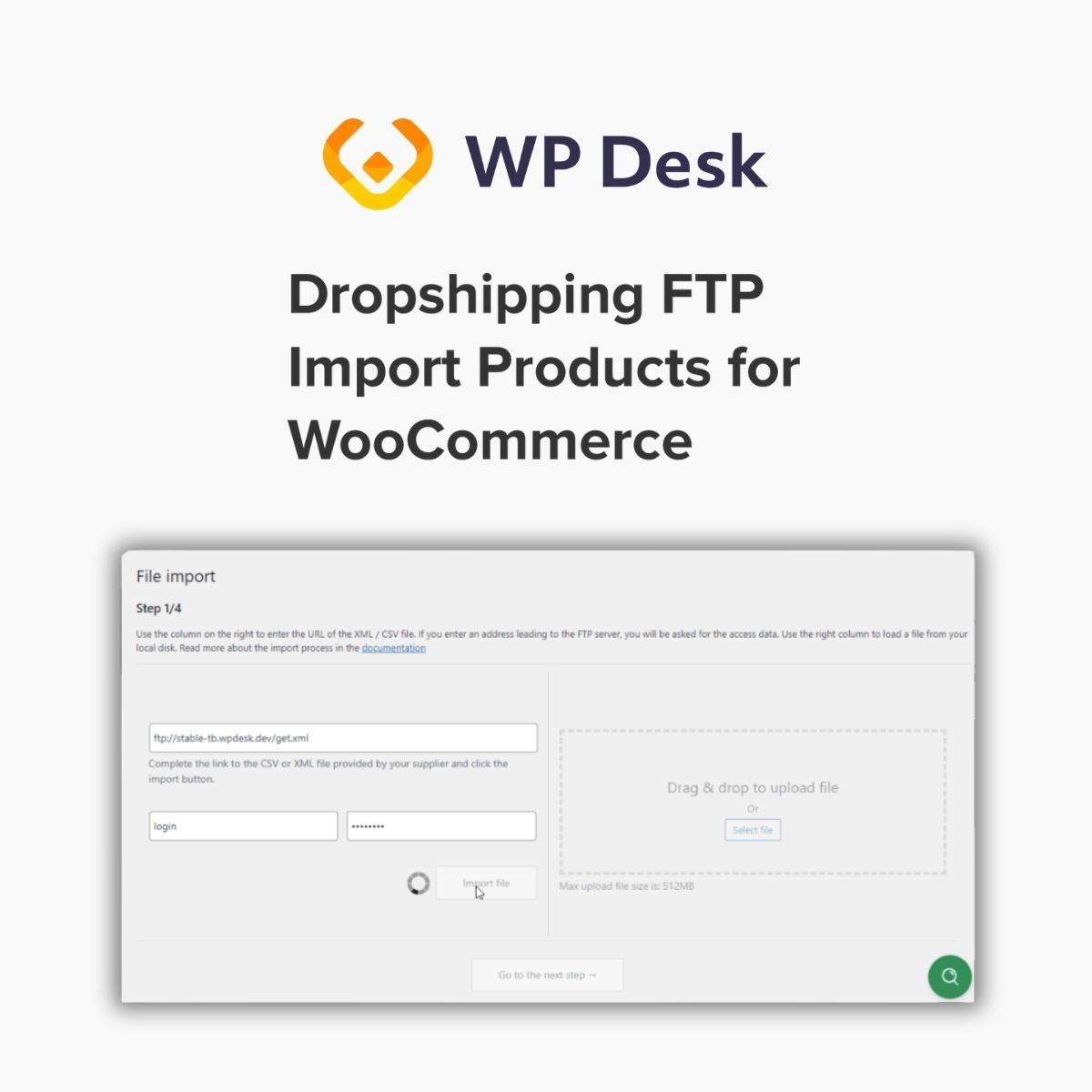
WPDesk – Dropshipping FTP Import Products for WooCommerce

$4.99 Free for Members
An add-on that imports WooCommerce products from XML or CSV files stored on an FTP server, or from a file you upload through the WordPress dashboard.
| Version | 1.0.39 |
|---|---|
| Last Updated | September 23, 2026 |
| Type | WordPress Plugin |
| License | GPL v2 or later |
| Live Demo | View demo → |
100% GPL · Original files · Unlimited sites
- Original, unmodified files — delivered exactly as distributed by the developer
- GPL licensed — use it on unlimited websites, personal or client
- Free updates — new versions appear here as soon as they are released
- Verified downloads — every file is integrity-checked (SHA-256) before release
Distributed under the GNU General Public License. Not affiliated with the original developer; official support, license keys and developer-hosted services (such as one-click updates) are available only from the developer.
Secure checkout with PayPal · GPL licensed · Instant download
Description
This plugin is an add-on to the Dropshipping Import Products for WooCommerce PRO plugin. It lets you pull product files from a remote FTP server or upload them from your own computer, so supplier product lists can be brought into your shop. When the file on the FTP server changes, the plugin updates the product list in the store.
Key Features
- FTP product import – You enter the FTP address of the file you want to import, then supply the FTP login and password to pull the products in.
- Sync on file change – You only need to replace the file on the FTP server and the plugin refreshes the product list in your shop.
- Upload from your computer – Instead of using FTP, you can pick a file from your own drive or drag and drop it onto the importer screen.
- XML and CSV files – Product files can be supplied in either XML or CSV format, depending on what your supplier provides.
- Two-column import screen – After activation, the standard file import step is split into two columns for managing the import.
- Multiple import channels – Products can be brought in from files on FTP or from files added through the WordPress media library.
- Requires Dropshipping XML plugin – This plugin works as an add-on, so the Dropshipping Import Products for WooCommerce PRO plugin must be installed for it to run.
Who Is It For
It is aimed at WooCommerce store owners who run a dropshipping business and receive product files from suppliers, especially those who get frequent updates and want the product list in their shop kept current without manual uploads.







