
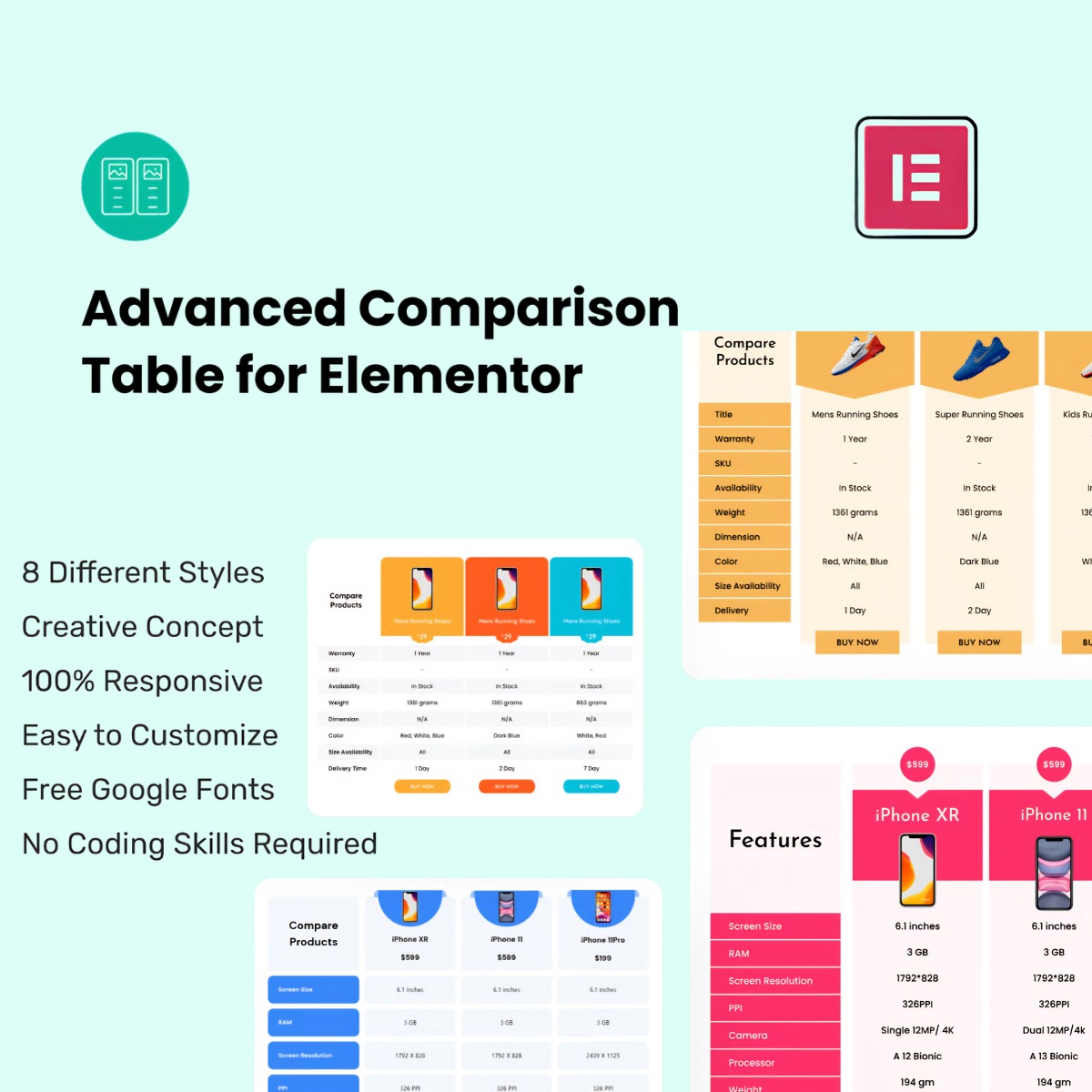
Advanced Comparison Table for Elementor
$4.99 Free for Members
A WordPress plugin that adds an Elementor widget for building product comparison tables with a drag-and-drop interface, responsive layouts, and several table styles.
| Version | 2.0 |
|---|---|
| Last Updated | November 17, 2026 |
| Type | WordPress Plugin |
| License | GPL v2 or later |
| Live Demo | View demo → |
100% GPL · Original files · Unlimited sites
- Original, unmodified files — delivered exactly as distributed by the developer
- GPL licensed — use it on unlimited websites, personal or client
- Free updates — new versions appear here as soon as they are released
- Verified downloads — every file is integrity-checked (SHA-256) before release
Distributed under the GNU General Public License. Not affiliated with the original developer; official support, license keys and developer-hosted services (such as one-click updates) are available only from the developer.
Secure checkout with PayPal · GPL licensed · Instant download
Description
Advanced Comparison Table for Elementor is a WordPress plugin that lets you build product comparison tables inside the Elementor page builder. You assemble tables with a drag-and-drop interface, without writing code. The plugin covers responsive layouts, multiple table styles, and styling options for columns, currency symbols, buttons, and hover effects.
Key Features
- Responsive tables – Tables built with the plugin adapt to desktop, tablet, and mobile screens so the comparison stays readable on any device.
- Eight table styles – You can pick from eight predefined table styles to match the look of your site.
- Device-specific columns – Columns can be configured separately for different devices, so the table layout suits each screen size.
- Custom currency symbols – Currency symbols can be added and changed to fit the products and audience you are comparing.
- Button and hover styling – The appearance of buttons and hover effects can be adjusted to make the table more engaging.
- Drag-and-drop builder – Tables are created through Elementor's drag-and-drop interface, so no coding is needed.
Who Is It For
This plugin suits affiliate review sites, blogs, and eCommerce pages that need clear side-by-side product comparisons. It is aimed at site owners using Elementor who want to build comparison tables without coding.