
WooCommerce Lightspeed POS Integration

$4.99 Free for Members
Sync your WooCommerce store with Lightspeed Retail POS so products, prices, and stock stay consistent across your physical store and website without manual updates.
| Version | 3.4.0 |
|---|---|
| Last Updated | August 27, 2026 |
| Type | WordPress Plugin |
| License | GPL v2 or later |
| Live Demo | View demo → |
100% GPL · Original files · Unlimited sites
- Original, unmodified files — delivered exactly as distributed by the developer
- GPL licensed — use it on unlimited websites, personal or client
- Free updates — new versions appear here as soon as they are released
- Verified downloads — every file is integrity-checked (SHA-256) before release
Distributed under the GNU General Public License. Not affiliated with the original developer; official support, license keys and developer-hosted services (such as one-click updates) are available only from the developer.
Secure checkout with PayPal · GPL licensed · Instant download
Description
This plugin connects a WooCommerce store to a Lightspeed Retail point-of-sale system. Sales in either channel update stock on the other side, and your product catalog can be imported from Lightspeed into WooCommerce. It works with Lightspeed R-Series and X-Series.
Key Features
- Two-way inventory sync – Stock levels adjust on both sides when a sale happens, whether at the register or online, without manual entry.
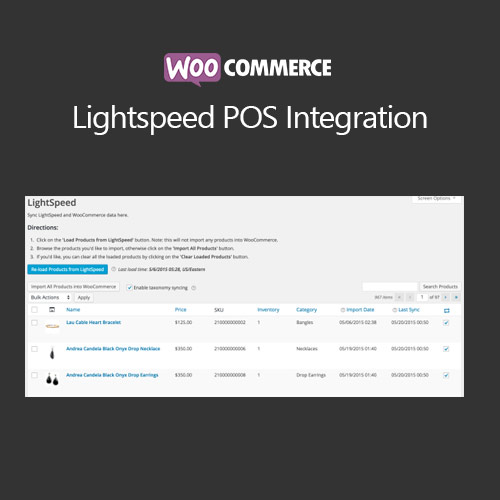
- Catalog import – You can pull your entire Lightspeed product catalog into WooCommerce in one click and map products automatically.
- Field-level sync control – You choose which product fields stay aligned between the two systems.
- Variable product support – Lightspeed matrix products map to WooCommerce variable products, with each variant carrying its own SKU, price, and stock.
- R-Series and X-Series – The plugin supports both Lightspeed Retail (R-Series) and Lightspeed Retail POS (X-Series).
- Manual or automatic sync – You decide whether synchronization runs on its own or when you trigger it.
Who Is It For
It is for store owners running both a WooCommerce shop and a Lightspeed Retail point of sale who want one shared inventory count instead of updating stock by hand. It suits shops selling simple or variable products across a physical location and a website.