

Custom User Registration Fields for WooCommerce

$4.99 Free for Members
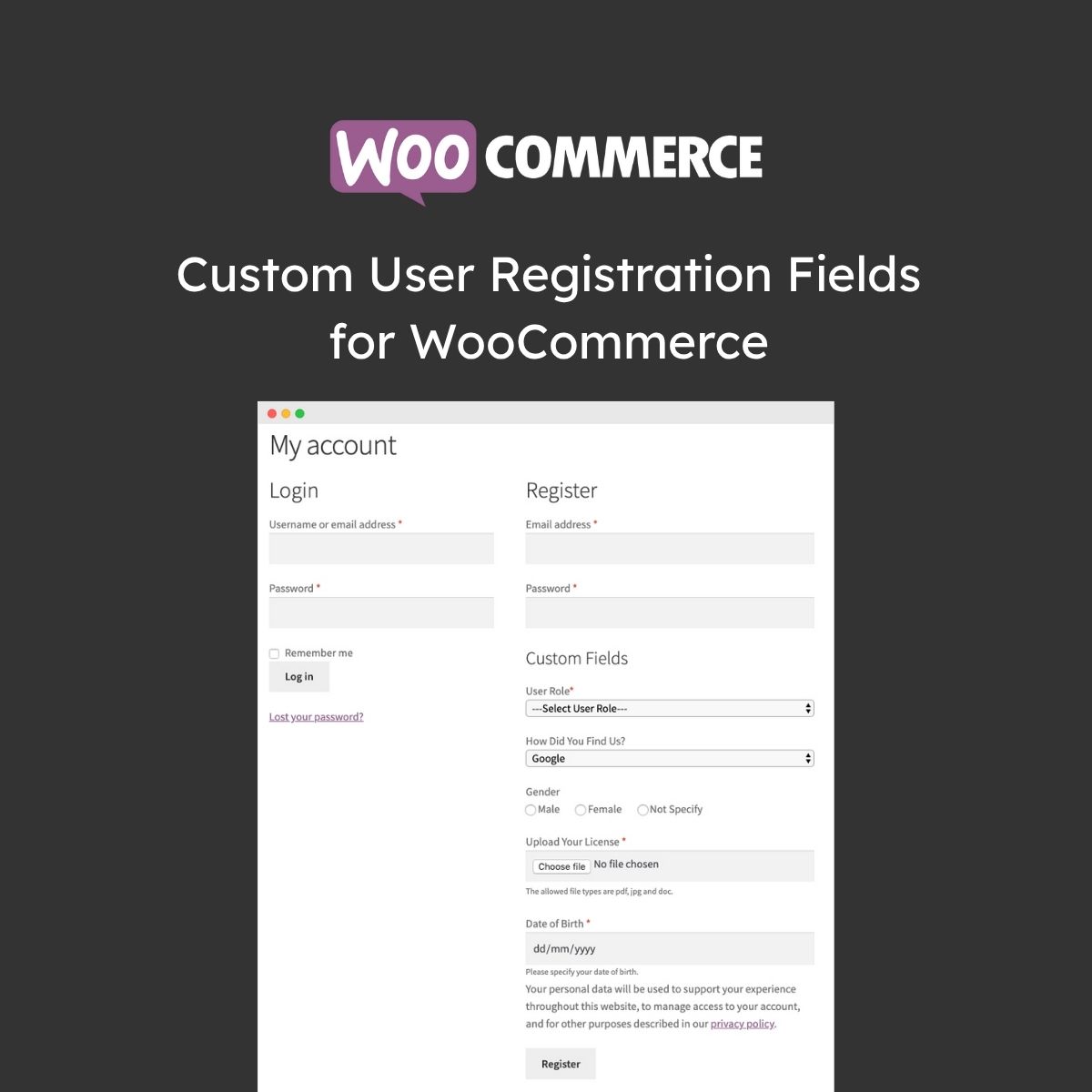
Add custom registration fields to WooCommerce signup, checkout, and account pages. Collect extra customer information with many field types and role-based fields.
| Version | 2.2.4 |
|---|---|
| Last Updated | August 7, 2026 |
| Type | WordPress Plugin |
| License | GPL v2 or later |
| Live Demo | View demo → |
100% GPL · Original files · Unlimited sites
- Original, unmodified files — delivered exactly as distributed by the developer
- GPL licensed — use it on unlimited websites, personal or client
- Free updates — new versions appear here as soon as they are released
- Verified downloads — every file is integrity-checked (SHA-256) before release
Distributed under the GNU General Public License. Not affiliated with the original developer; official support, license keys and developer-hosted services (such as one-click updates) are available only from the developer.
Secure checkout with PayPal · GPL licensed · Instant download
Description
This WooCommerce plugin lets store owners add custom fields to the user registration form to collect additional customer information. Fields can appear on the My Account page and in registration emails, and you can control whether each one is required or optional.
Key Features
- Custom registration fields – You can add extra fields to the WooCommerce registration form to gather more details from customers.
- Many field types – The plugin supports a wide range of input types, including dropdowns, checkboxes, file uploads, and dates.
- Conditional fields – You can show a field only when a specific value is selected in a preceding field, keeping the form clean.
- User roles dropdown – A dropdown menu lets customers pick a user role during registration, and you can choose which roles appear.
- Manual or auto approval – New user registrations can be approved automatically or manually, which is useful for validating B2B customers.
- Role-based fields – Fields can be tied to specific user roles and shown only when a customer selects that role.
- My Account display – Field data can be shown on the customer's My Account page and in registration emails.
- Default billing fields – You can enable WooCommerce's default billing fields on the registration form without writing code.
Who Is It For
This plugin is for WooCommerce store owners who want to collect more information during signup, especially those handling B2B or wholesale customers who need role-based registration and approval.







