
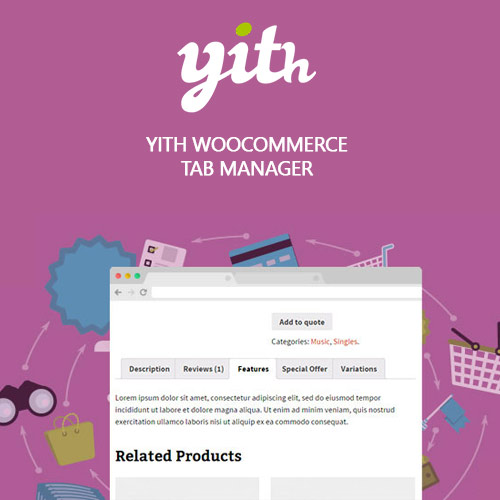
YITH WooCommerce Tab Manager Premium
$4.99 Free for Members
YITH WooCommerce Tab Manager Premium lets you add custom tabs to WooCommerce product pages, including text, image galleries, videos, FAQs, contact forms, and downloadable files.
| Version | 2.18.0 |
|---|---|
| Last Updated | August 17, 2026 |
| Type | WordPress Plugin |
| License | GPL v2 or later |
| Live Demo | View demo → |
100% GPL · Original files · Unlimited sites
- Original, unmodified files — delivered exactly as distributed by the developer
- GPL licensed — use it on unlimited websites, personal or client
- Free updates — new versions appear here as soon as they are released
- Verified downloads — every file is integrity-checked (SHA-256) before release
Distributed under the GNU General Public License. Not affiliated with the original developer; official support, license keys and developer-hosted services (such as one-click updates) are available only from the developer.
Secure checkout with PayPal · GPL licensed · Instant download
Description
YITH WooCommerce Tab Manager Premium is a WordPress plugin for WooCommerce stores that adds and manages tabs on product pages. You can create global tabs for all products or specific categories, or set up tabs for individual products, and disable or reposition the default WooCommerce tabs.
Key Features
- Custom product tabs – Add extra tabs to product pages for information such as FAQs, instructions, and downloadable files.
- Global and category tabs – Create a tab once and show it on every product or only on products from a chosen category.
- Per-product tabs – Set up tabs that appear only on specific products, so each item can carry its own content.
- Disable default tabs – Turn off WooCommerce's built-in tabs or change where they appear on the page.
- Image gallery tabs – Upload multiple images into a tab, choose how many show per row, and let shoppers enlarge them in a lightbox.
- Video tabs – Place videos in a tab for product demonstrations, instructions, or customer and influencer reviews.
- FAQ tabs – Build a question-and-answer tab that addresses common concerns before customers order.
- Contact form tabs – Add a tab with a contact form so shoppers can ask about a product or request a quote.
Who Is It For
This plugin is for WooCommerce store owners who want more control over the information shown on product pages. It suits shops that need to present detailed content such as manuals, galleries, videos, FAQs, or quote requests alongside their products.