

Thrive Comments

$4.99 Free for Members
Thrive Comments replaces the default WordPress comment system with upvoting, badges, post-comment actions, social sharing, and reporting tools to encourage reader engagement.
| Version | 11.0.1 |
|---|---|
| Last Updated | September 23, 2026 |
| Type | WordPress Plugin |
| License | GPL v2 or later |
| Live Demo | View demo → |
100% GPL · Original files · Unlimited sites
- Original, unmodified files — delivered exactly as distributed by the developer
- GPL licensed — use it on unlimited websites, personal or client
- Free updates — new versions appear here as soon as they are released
- Verified downloads — every file is integrity-checked (SHA-256) before release
Distributed under the GNU General Public License. Not affiliated with the original developer; official support, license keys and developer-hosted services (such as one-click updates) are available only from the developer.
Secure checkout with PayPal · GPL licensed · Instant download
Description
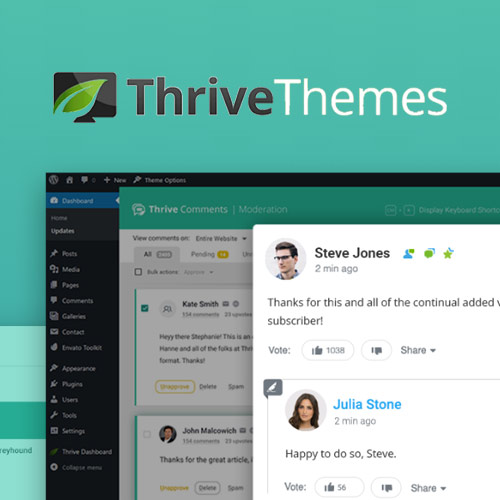
Thrive Comments is a WordPress plugin that swaps out the standard comment form for a more interactive system. It adds upvotes, badges, featured comments, and social sharing, and it gives site owners reporting and moderation tools to manage the conversation.
Key Features
- Upvotes and Likes – Readers can upvote or like comments, giving quieter visitors a simple way to weigh in.
- Achievement Badges – Commenters can unlock badges as they take part, adding a sense of achievement to the discussion.
- Featured Comments – Site owners can highlight selected comments, giving contributors visible validation.
- Social Sharing – Commenters can share individual comments or the post itself on social networks.
- Social Login Comments – Visitors can leave a comment using their social accounts instead of signing in separately.
- Post-Comment Actions – After someone comments, you can redirect them to a URL, show related posts, prompt a share, or open a lightbox when combined with Thrive Leads.
- Comment Reporting – Reports show visitor activity over time, your most active commenters, and which posts draw the most comments.
- Moderation Dashboard – A dedicated dashboard sorts comments by criteria such as posts only, replies still needed, or a single page, with keyboard shortcuts for each action.
Who Is It For
This plugin is for WordPress site owners and bloggers who want their comment sections to do more than collect replies. It suits publishers and content teams that handle a high volume of comments and want engagement, sharing, and moderation in one place.







