
WooCommerce Order Delivery

$4.99 Free for Members
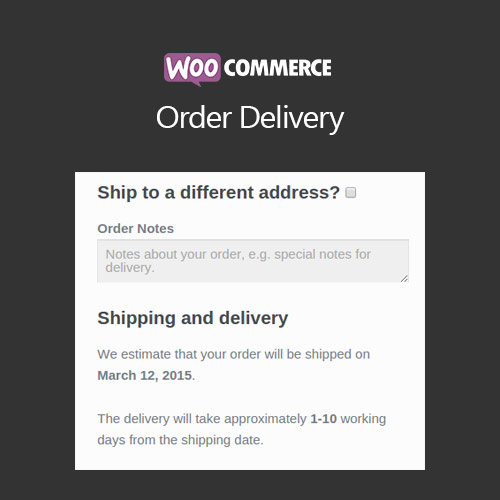
Order Delivery for WooCommerce lets customers pick delivery or pickup dates and time slots at checkout, while you control lead times, cutoffs, holidays, and capacity.
| Version | 4.2.2 |
|---|---|
| Last Updated | August 18, 2026 |
| Type | WordPress Plugin |
| License | GPL v2 or later |
| Live Demo | View demo → |
100% GPL · Original files · Unlimited sites
- Original, unmodified files — delivered exactly as distributed by the developer
- GPL licensed — use it on unlimited websites, personal or client
- Free updates — new versions appear here as soon as they are released
- Verified downloads — every file is integrity-checked (SHA-256) before release
Distributed under the GNU General Public License. Not affiliated with the original developer; official support, license keys and developer-hosted services (such as one-click updates) are available only from the developer.
Secure checkout with PayPal · GPL licensed · Instant download
Description
Order Delivery for WooCommerce is a checkout scheduling plugin for stores that deliver locally, offer in-store pickup, or make items to order. Shoppers choose or view delivery and pickup dates and time frames, and the plugin calculates available dates from your preparation times, cutoffs, and working days. You can limit how many orders each slot takes and add fees for particular time frames.
Key Features
- Delivery or pickup choice – Customers can select a date and an optional time frame for delivery or for pickup, or simply see an estimated date, and you decide whether choosing a date is mandatory.
- Preparation time rules – You set lead times in days, order cut-off times, and the working days used for picking, and the plugin excludes holidays and closures when working out available dates.
- Time frame configuration – Delivery days, pickup days, and flexible time frames such as 30 or 60 minute slots are configured separately for delivery and pickup, and only valid dates appear at checkout.
- Capacity limits – You can cap the number of orders accepted per time frame, and slots that are fully booked are hidden automatically.
- Slot fees – Fees can be attached to particular delivery or pickup time frames, with different pricing per slot to steer customers toward off-peak times.
- Delivery date ranges – You define delivery windows such as 1–1 day or 2–3 days, assign them to specific shipping methods, and show customers precise estimated dates.
- Checkout tipping – Delivery or pickup orders can accept optional tips that are fixed or percentage-based, with preset options, custom amounts, and control over which methods allow tipping.
- Order management view – Scheduled dates appear in the orders list, can be filtered by shipping or fulfilment date, show whether an order is delivery or pickup, and admins can edit them in the order screen.
Who Is It For
This plugin suits stores that handle their own local delivery, businesses offering in-store collection, and sellers of made-to-order or custom products. It is also aimed at food, retail, and service businesses that need to manage scheduled fulfilment.