
YITH WooCommerce Quick View Premium
$4.99 Free for Members
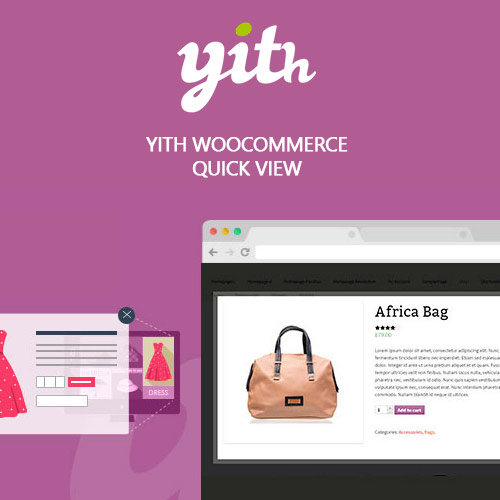
YITH WooCommerce Quick View Premium shows product details in a modal window or sliding panel on shop pages, so shoppers can check sizes, colors, and add to cart without leaving the catalog.
| Version | 1.38.0 |
|---|---|
| Last Updated | February 24, 2024 |
| Type | WordPress Plugin |
| License | GPL v2 or later |
| Live Demo | View demo → |
100% GPL · Original files · Unlimited sites
- Original, unmodified files — delivered exactly as distributed by the developer
- GPL licensed — use it on unlimited websites, personal or client
- Free updates — new versions appear here as soon as they are released
- Verified downloads — every file is integrity-checked (SHA-256) before release
Distributed under the GNU General Public License. Not affiliated with the original developer; official support, license keys and developer-hosted services (such as one-click updates) are available only from the developer.
Secure checkout with PayPal · GPL licensed · Instant download
Description
YITH WooCommerce Quick View Premium is a WooCommerce plugin that adds a quick product preview to your store. Shoppers open a modal window, sliding panel, or on-page preview to see product information and add items to the cart without leaving the shop page. The layout is mobile friendly and the button placement, style, and colors can be adjusted.
Key Features
- Modal or sliding panel – Product previews open in a modal window, a sliding side panel, or an on-page pop-up section, so shoppers stay on the catalog page.
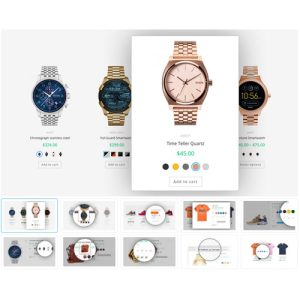
- Choose displayed product info – You decide which details appear in the preview, such as the image gallery or slider, short or long description, rating, price, meta, and the add-to-cart button.
- Cross-product navigation – Shoppers can move between the quick view tabs of several products without closing the window.
- Social sharing of previews – Social icons let customers share a product preview from the quick view window.
- Mobile friendly layout – The quick view is designed to work well for shoppers browsing on smartphones and tablets.
- Style and color options – You can adjust the quick view button text and colors, the page overlay color, and the add-to-cart button styling.
- Shortcode and block – A shortcode and Gutenberg block place a quick view button for a chosen product anywhere on your site, such as a blog post or landing page.
- Button placement choice – The quick view button can appear when hovering over the product image or below the add-to-cart button, as text or an icon.
Who Is It For
This plugin is for WooCommerce store owners who want shoppers to browse and compare products without repeatedly opening and leaving product detail pages. It suits catalogs where customers check sizes, colors, and prices before buying, including those shopping on smartphones and tablets.