


wpDataTables – Tables and Charts Manager for WordPress
$4.99 Free for Members
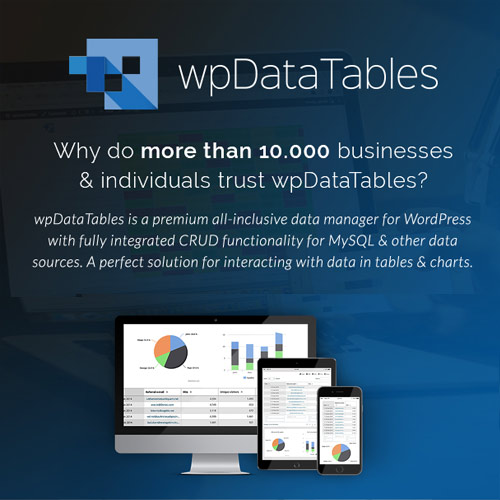
wpDataTables is a WordPress plugin that builds responsive tables and charts from Excel, CSV, MySQL, and JSON data, with sorting, filtering, and pagination.
| Version | 8.0.2 |
|---|---|
| Last Updated | September 10, 2026 |
| Type | WordPress Plugin |
| License | GPL v2 or later |
| Live Demo | View demo → |
100% GPL · Original files · Unlimited sites
- Original, unmodified files — delivered exactly as distributed by the developer
- GPL licensed — use it on unlimited websites, personal or client
- Free updates — new versions appear here as soon as they are released
- Verified downloads — every file is integrity-checked (SHA-256) before release
Distributed under the GNU General Public License. Not affiliated with the original developer; official support, license keys and developer-hosted services (such as one-click updates) are available only from the developer.
Secure checkout with PayPal · GPL licensed · Instant download
Description
wpDataTables is a WordPress plugin for creating tables and charts from several data sources. It pulls in data from Excel, CSV, MySQL, and JSON, and renders tables and charts that adapt to different screen sizes. The tables support sorting, filtering, and pagination, and charts are interactive.
Key Features
- Multiple data sources – You can build tables from Excel, CSV, MySQL, and JSON sources instead of typing everything in by hand.
- Responsive tables and charts – Tables and charts adjust to fit different screen sizes, so they remain usable on smaller devices.
- Sorting – Readers can reorder table rows by clicking column headers.
- Filtering – Visitors can narrow down table content using filters.
- Pagination – Long tables are split into pages so users can move through the data in smaller chunks.
- Interactive charts – Charts respond to user interaction, letting viewers explore the data visually.
Who Is It For
This plugin is for WordPress site owners and administrators who need to display data in tables and charts without custom coding. It suits sites that already keep data in spreadsheets, databases, or JSON files and want to present it in a structured, browsable format.







