
YITH Product Size Charts for WooCommerce Premium


$4.99 Free for Members
Add size chart tables to WooCommerce product pages so shoppers can check measurements before buying. Assign charts to products or categories and display them in a tab or popup.
| Version | 1.54.0 |
|---|---|
| Last Updated | May 19, 2026 |
| Type | WordPress Plugin |
| License | GPL v2 or later |
| Live Demo | View demo → |
100% GPL · Original files · Unlimited sites
- Original, unmodified files — delivered exactly as distributed by the developer
- GPL licensed — use it on unlimited websites, personal or client
- Free updates — new versions appear here as soon as they are released
- Verified downloads — every file is integrity-checked (SHA-256) before release
Distributed under the GNU General Public License. Not affiliated with the original developer; official support, license keys and developer-hosted services (such as one-click updates) are available only from the developer.
Secure checkout with PayPal · GPL licensed · Instant download
Description
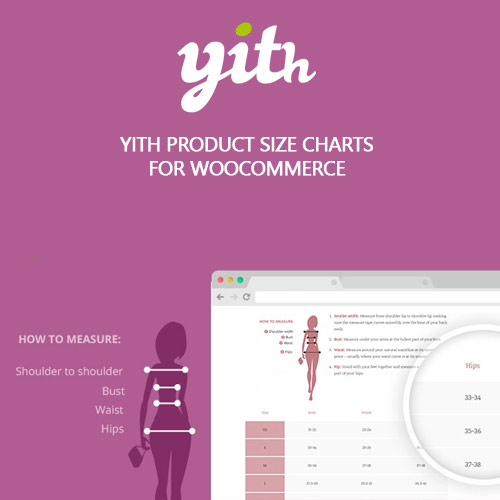
YITH Product Size Charts for WooCommerce Premium is a plugin that puts size chart tables on your product pages. You can attach more than one chart to a product, assign charts to categories or to every product in the store, and choose whether they appear in a WooCommerce tab or a popup. It is meant to give customers the measurements they need before ordering.
Key Features
- Multiple charts per product – You can attach more than one size chart to the same product and add them straight from the product editing page.
- Tab or popup display – Charts can be shown inside a WooCommerce tab, a modal window, or a tabbed popup, whichever suits your layout.
- Category-wide chart assignment – A chart can be linked to one or more product categories, or to all products in your shop.
- Bulk chart assignment – The WordPress bulk editing tool lets you attach size charts to several products in one go.
- Sidebar widget – A widget named YITH Product Size Charts lets you place your charts in the sidebars of your shop.
- Shortcode and PHP embedding – Charts can be inserted with shortcodes, PHP code, or the tinyMCE editor.
- Popup styling options – You control the popup button position, its colors and style, plus the popup's opening effect and layout.
- Chart color and style editing – The colors and style of the size charts themselves can be edited to match your store.
Who Is It For
This plugin is for WooCommerce store owners who sell clothing or any other product where measurements need to be shown clearly before purchase. It suits shops that want to reduce size-related questions and returns by giving customers a table of measurements on the product page.