
YITH Easy Order Page for WooCommerce Premium
$4.99 Free for Members
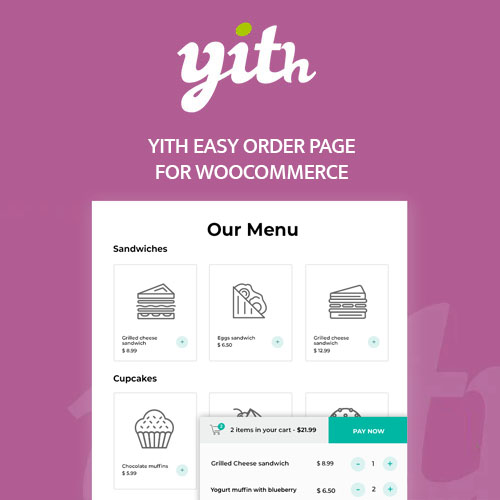
YITH Easy Order Page for WooCommerce Premium lets you build custom product lists shown in tables or grids, so customers can select items and add them to the cart from one page.
| Version | 1.31.0 |
|---|---|
| Last Updated | March 23, 2024 |
| Type | WordPress Plugin |
| License | GPL v2 or later |
| Live Demo | View demo → |
100% GPL · Original files · Unlimited sites
- Original, unmodified files — delivered exactly as distributed by the developer
- GPL licensed — use it on unlimited websites, personal or client
- Free updates — new versions appear here as soon as they are released
- Verified downloads — every file is integrity-checked (SHA-256) before release
Distributed under the GNU General Public License. Not affiliated with the original developer; official support, license keys and developer-hosted services (such as one-click updates) are available only from the developer.
Secure checkout with PayPal · GPL licensed · Instant download
Description
This WooCommerce plugin creates custom lists of products that appear on their own pages, displayed as horizontal tables or grid layouts. Shoppers pick quantities and add items to the cart without moving between individual product pages, and a cart widget can keep the cart within reach. Lists can be limited to certain users or roles.
Key Features
- Custom product lists – You can build as many lists as you need, filling each one with chosen products, categories, or tags, and excluding items you don't want shown.
- Table or grid layout – Each list can be presented as a traditional table with horizontal rows or as a grid layout that the plugin recommends for mobile devices.
- Choose visible product details – For every list you decide which product information appears, such as name, image, price, SKU, stock, short description, and quantity field.
- Add to cart options – You can place an add-to-cart button beside each product, use a single button that adds all selected products at once, or enable both and let shoppers pick.
- Sticky or floating cart – A cart widget in a sticky or floating style gives shoppers immediate access to the products already in their cart.
- Quick view modal – Product details can open in a modal window so the customer stays on the product list instead of leaving it.
- List visibility control – You choose who sees each list: everyone, registered users only, selected users, or particular user roles, and you can exclude users or roles.
- Pagination and sorting – For each list you set how many products appear per page and their order, using classic pagination or an AJAX load-more button.
Who Is It For
This plugin suits WooCommerce store owners who want a faster, list-based ordering flow, including restaurants and takeaway businesses publishing menu-style product lists, and shops serving resellers, partners, or loyal customers who order repeatedly. It also fits stores that want a mobile-friendly layout for selecting and buying several products from one page.