

WooPack for Beaver Builder

$4.99 Free for Members
WooPack for Beaver Builder adds WooCommerce modules to Beaver Builder, letting you build product grids, carousels, cart and checkout layouts visually without coding.
| Version | 1.6.0 |
|---|---|
| Last Updated | September 21, 2026 |
| Type | WordPress Plugin |
| License | GPL v2 or later |
| Live Demo | View demo → |
100% GPL · Original files · Unlimited sites
- Original, unmodified files — delivered exactly as distributed by the developer
- GPL licensed — use it on unlimited websites, personal or client
- Free updates — new versions appear here as soon as they are released
- Verified downloads — every file is integrity-checked (SHA-256) before release
Distributed under the GNU General Public License. Not affiliated with the original developer; official support, license keys and developer-hosted services (such as one-click updates) are available only from the developer.
Secure checkout with PayPal · GPL licensed · Instant download
Description
WooPack for Beaver Builder is a WordPress plugin that provides WooCommerce-specific modules for the Beaver Builder page builder. It lets you assemble store pages visually with product grids, carousels, category displays, single product blocks, and cart and checkout styling. No coding is required, and it works alongside an active WooCommerce installation.
Key Features
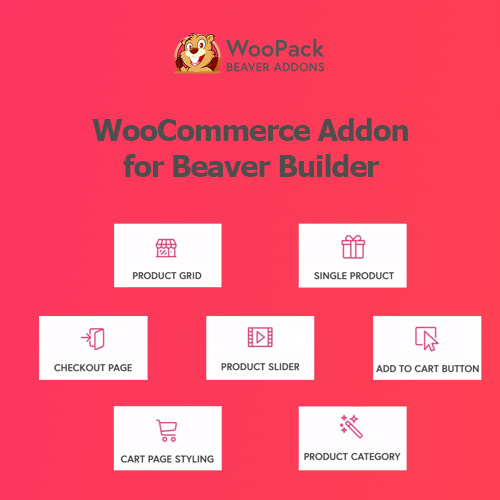
- Product Grid Module – Create grid or masonry product layouts with styling options, pagination, and AJAX filters that update results without reloading the page.
- Product Carousel Module – Place a sliding product showcase anywhere on your site, useful for highlighting popular items, new arrivals, or offers.
- Single Product Module – Show one product directly on any page, which suits landing pages or sales pages where you want to shorten the path to purchase.
- Product Categories Module – Display a grid or carousel of product categories with options for category image, title, and product count.
- Add to Cart Module – Add a button that puts a product straight into the cart, with adjustable quantity and one-click checkout for landing pages.
- Cart Styler Module – Restyle the standard WooCommerce cart page, which otherwise uses a table layout that is hard to customize.
- Checkout Styler Module – Build a one- or two-column checkout layout and style input fields, section titles, colors, and buttons.
- Mini Cart Module – Place a cart icon with item quantity in your header or menu, set to reveal cart contents on hover or click.
Who Is It For
This plugin is for WordPress site owners and builders who run WooCommerce stores and design their pages with Beaver Builder. It suits users who want to assemble shop, product, cart, and checkout layouts visually without writing code.