
WooCommerce Stamps.com XML File Export

$4.99 Free for Members
Export WooCommerce orders as XML files formatted for import into the Stamps.com Windows desktop client. Export single orders, bulk orders, or all orders by status or date range.
| Version | 2.12.0 |
|---|---|
| Last Updated | May 9, 2022 |
| Type | WordPress Plugin |
| License | GPL v2 or later |
| Live Demo | View demo → |
100% GPL · Original files · Unlimited sites
- Original, unmodified files — delivered exactly as distributed by the developer
- GPL licensed — use it on unlimited websites, personal or client
- Free updates — new versions appear here as soon as they are released
- Verified downloads — every file is integrity-checked (SHA-256) before release
Distributed under the GNU General Public License. Not affiliated with the original developer; official support, license keys and developer-hosted services (such as one-click updates) are available only from the developer.
Secure checkout with PayPal · GPL licensed · Instant download
Description
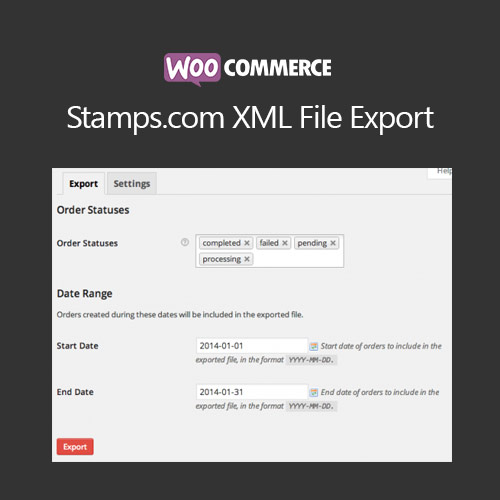
This WooCommerce extension turns your store's orders into XML files that can be imported into the Stamps.com desktop client. You can export one order at a time, several at once, or all orders matching a status or date range. It removes the need to format order information by hand before printing shipping labels.
Key Features
- Export individual orders – Send a single order to an XML file straight from the Orders page or the Edit Order page.
- Bulk order export – Select several orders at once and export them together using the bulk order actions.
- Export by status or date – Pull all orders that match a chosen order number, order status, or range of order dates.
- Restrict by custom statuses – Keep certain orders out of the export by limiting it to specific custom order statuses.
- Email XML attachment – Optionally attach the order XML file to the admin new order notification so you can export without logging in.
- Stamps.com desktop client – The generated XML files are meant for the Stamps.com Windows desktop client, not the web-based client.
Who Is It For
This plugin is for WooCommerce store owners who print shipping labels through the Stamps.com Windows desktop client and want to move order data into it without manual formatting. It suits shops that handle both single orders and batches, and that need to filter which orders get exported.