

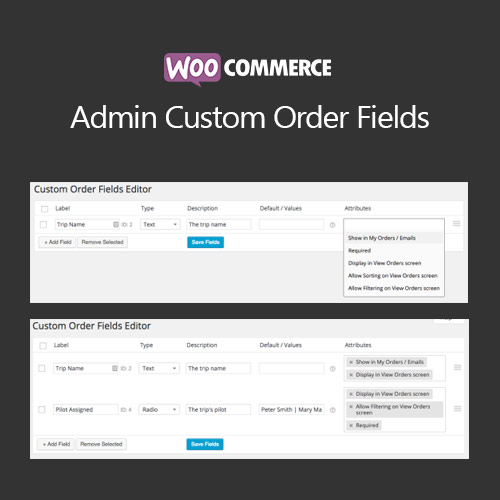
WooCommerce Admin Custom Order Fields

$4.99 Free for Members
Add custom detail fields to the WooCommerce order admin screen, so staff can record delivery instructions, gift messages, or internal notes on the order itself.
| Version | 1.18.0 |
|---|---|
| Last Updated | October 2, 2026 |
| File Size | 1.7 MB |
| Type | WordPress Plugin |
| License | GPL v2 or later |
| Live Demo | View demo → |
100% GPL · Original files · Unlimited sites
- Original, unmodified files — delivered exactly as distributed by the developer
- GPL licensed — use it on unlimited websites, personal or client
- Free updates — new versions appear here as soon as they are released
- Verified downloads — every file is integrity-checked (SHA-256) before release
Distributed under the GNU General Public License. Not affiliated with the original developer; official support, license keys and developer-hosted services (such as one-click updates) are available only from the developer.
Secure checkout with PayPal · GPL licensed · Instant download
Description
This WooCommerce extension lets store owners create their own input fields on the order edit screen in the admin. Team members fill those fields in while processing an order, keeping details such as delivery instructions, gift messages, or internal notes attached to the order. Orders can then be sorted or filtered using the values entered in those fields.
Key Features
- Custom admin order fields – Store owners can create their own input fields and add or edit them from the admin Orders Dashboard.
- Sort and filter orders – Orders in the admin can be sorted or filtered according to the values stored in your custom order fields.
- Optional customer visibility – A field can be set to appear to the customer on the My Orders page and in emails, while fields stay hidden from customers by default.
- Centralized order details – Order information is kept inside WooCommerce instead of being spread across spreadsheets or other outside systems.
- Shared team editing – Because the fields live on the order, any team member with admin access can view and edit the same order details.
Who Is It For
It is aimed at WooCommerce store owners and their admin teams who handle orders that need extra details beyond standard order notes, such as bookings, services, or consulting work. It suits shops that want those details kept inside WooCommerce rather than in spreadsheets or separate tools.