
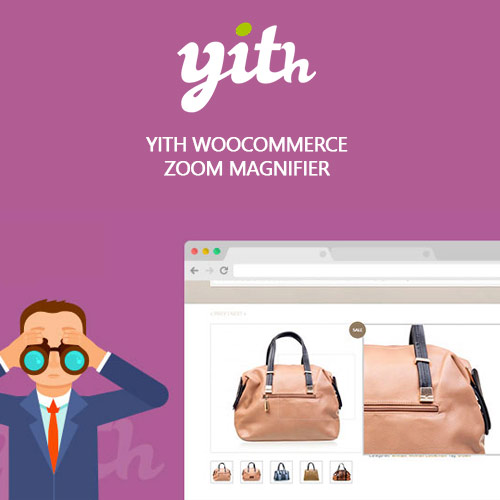
YITH WooCommerce Zoom Magnifier Premium
$4.99 Free for Members
A WooCommerce plugin that adds zoom and lightbox viewing to product images and manages gallery thumbnails with a slider.
| Version | 2.29.0 |
|---|---|
| Last Updated | February 26, 2024 |
| Type | WordPress Plugin |
| License | GPL v2 or later |
| Live Demo | View demo → |
100% GPL · Original files · Unlimited sites
- Original, unmodified files — delivered exactly as distributed by the developer
- GPL licensed — use it on unlimited websites, personal or client
- Free updates — new versions appear here as soon as they are released
- Verified downloads — every file is integrity-checked (SHA-256) before release
Distributed under the GNU General Public License. Not affiliated with the original developer; official support, license keys and developer-hosted services (such as one-click updates) are available only from the developer.
Secure checkout with PayPal · GPL licensed · Instant download
Description
This WooCommerce plugin lets shoppers enlarge product images with a zoom feature and open full-size images in a lightbox modal window. It also replaces the default thumbnail list with a slider and can swap the main image when a thumbnail is hovered.
Key Features
- Image zoom – Shoppers can magnify product images to inspect small details before buying.
- Lightbox viewing – Full-resolution product images open in a modal window for close inspection.
- Gallery slider – Product gallery thumbnails display in a slider instead of stacked rows.
- Hover image swap – Hovering a gallery thumbnail changes the main product image without extra clicks.
- Zoom exclusion list – Zoom can be turned off for chosen products or categories while staying active elsewhere.
- Zoom window settings – The zoom position relative to the main image and the zoom window size can be configured.
- Icon customization – Zoom, lightbox and arrow icons can be resized, recolored and rounded to match the shop style.
- Lightbox overlay colors – The lightbox icon and the modal window overlay colors can be customized.
Who Is It For
Store owners running WooCommerce shops who want product images to be easier to examine. It suits shops with detailed or material-focused products where customers rely on photos to judge quality before ordering.