
WooCommerce Tab Manager

$4.99 Free for Members
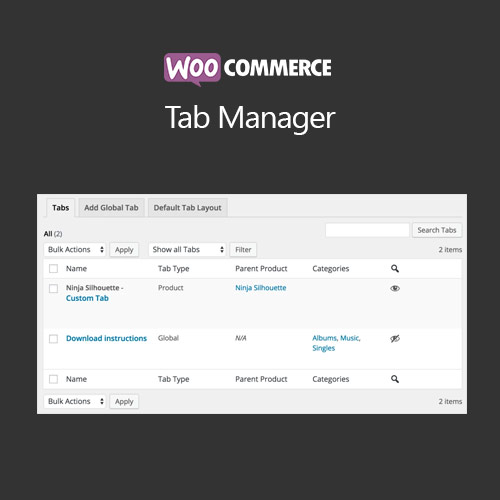
WooCommerce Tab Manager lets you add, remove, reorder, and rename product page tabs from the WordPress dashboard, including global tabs shared across products and product-specific custom tabs.
| Version | 1.16.4 |
|---|---|
| Last Updated | June 24, 2026 |
| Type | WordPress Plugin |
| License | GPL v2 or later |
| Live Demo | View demo → |
100% GPL · Original files · Unlimited sites
- Original, unmodified files — delivered exactly as distributed by the developer
- GPL licensed — use it on unlimited websites, personal or client
- Free updates — new versions appear here as soon as they are released
- Verified downloads — every file is integrity-checked (SHA-256) before release
Distributed under the GNU General Public License. Not affiliated with the original developer; official support, license keys and developer-hosted services (such as one-click updates) are available only from the developer.
Secure checkout with PayPal · GPL licensed · Instant download
Description
WooCommerce Tab Manager is a plugin that gives store owners control over the tabs shown on WooCommerce product pages. You can reorder, rename, or remove the core Description, Additional Information, and Reviews tabs, and create your own tabs without editing theme files. Tabs can be shared across multiple products or set up for a single product.
Key Features
- Control Core Tabs – Reorder, rename, or remove the built-in Description, Additional Information, and Reviews tabs on product pages.
- Global Shared Tabs – Create tabs that appear on more than one product so the same content can be reused instead of rewritten.
- Category-Restricted Global Tabs – Limit a global tab so it only shows on selected product categories.
- Product-Specific Tabs – Build tabs with content tailored to one individual product.
- Drag-and-Drop Ordering – Arrange tabs by dragging them into the order you want using a visual interface.
- Default Tab Layout – Set one tab layout for all products, then override it for individual products where needed.
- Shortcodes In Tabs – Place shortcode output inside tab content, so embedded forms, videos, or other plugin content can appear in a tab.
- Searchable Tab Content – Tab content can be included in your site's search results, so products surface when a shopper searches words found in a tab.
Who Is It For
This plugin is for WooCommerce store owners who want to organize product page information into tabs without touching theme templates or code. It suits shops that need to reuse the same tab content across many products, or that want different tab layouts for different products and categories.