
WooCommerce Print Invoices & Packing Lists

$4.99 Free for Members
Generate invoices, packing slips, and pick lists for WooCommerce orders. Print or email documents individually or in bulk, and let customers view invoices from their account.
| Version | 3.15.1 |
|---|---|
| Last Updated | August 13, 2026 |
| Type | WordPress Plugin |
| License | GPL v2 or later |
| Live Demo | View demo → |
100% GPL · Original files · Unlimited sites
- Original, unmodified files — delivered exactly as distributed by the developer
- GPL licensed — use it on unlimited websites, personal or client
- Free updates — new versions appear here as soon as they are released
- Verified downloads — every file is integrity-checked (SHA-256) before release
Distributed under the GNU General Public License. Not affiliated with the original developer; official support, license keys and developer-hosted services (such as one-click updates) are available only from the developer.
Secure checkout with PayPal · GPL licensed · Instant download
Description
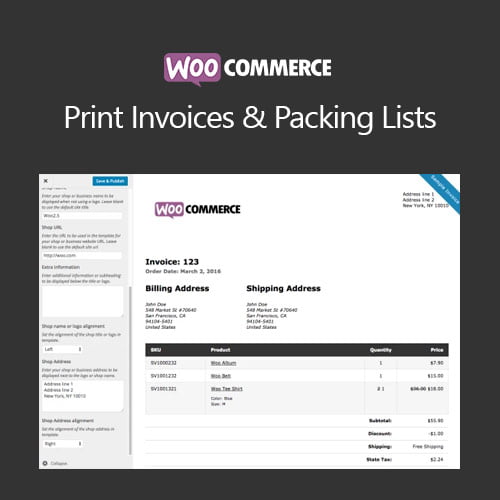
This WooCommerce extension creates invoices, packing lists, and pick lists for your orders. You can print or email these documents one order at a time or in bulk, and customers can view invoices from the My Account page.
Key Features
- Bulk document actions – Select multiple orders and print or send invoices, packing lists, or combined pick lists in one go.
- Customer invoice viewing – Shoppers can open their invoices from the My Account area of your store.
- Live preview customization – Adjust colors, font sizes, and other appearance settings for your documents with a live preview, no coding required.
- Category-sorted packing lists – Packing lists arrange items by product category so you can pick and pack orders more efficiently.
- Combined pick lists – Create one pick list covering several orders, organized by category, to help with mass fulfillment.
- Automatic invoice emails – Invoices are emailed to customers when an order is paid for.
- Sequential invoice numbers – Use sequential invoice numbers or your WooCommerce order numbers as invoice numbers.
- Print status filtering – Filter orders by whether invoices or packing lists have been printed to see what still needs packaging.
Who Is It For
Store owners and fulfillment staff using WooCommerce who need to produce invoices, packing lists, and pick lists for orders. It suits shops that print or email documents one order at a time or in bulk and want customers to access invoices from their account.