WPDesk – Checkout Fields for Blocks – Conditional Logic for Fields

$4.99 Free for Members
A WooCommerce add-on that adds conditional logic to checkout fields in the Blocks checkout, so fields appear or disappear depending on cart contents, shipping or payment method, user role and more.
| Version | 1.1.2 |
|---|---|
| Last Updated | November 22, 2026 |
| Type | WordPress Plugin |
| License | GPL v2 or later |
| Live Demo | View demo → |
100% GPL · Original files · Unlimited sites
- Original, unmodified files — delivered exactly as distributed by the developer
- GPL licensed — use it on unlimited websites, personal or client
- Free updates — new versions appear here as soon as they are released
- Verified downloads — every file is integrity-checked (SHA-256) before release
Distributed under the GNU General Public License. Not affiliated with the original developer; official support, license keys and developer-hosted services (such as one-click updates) are available only from the developer.
Secure checkout with PayPal · GPL licensed · Instant download
Description
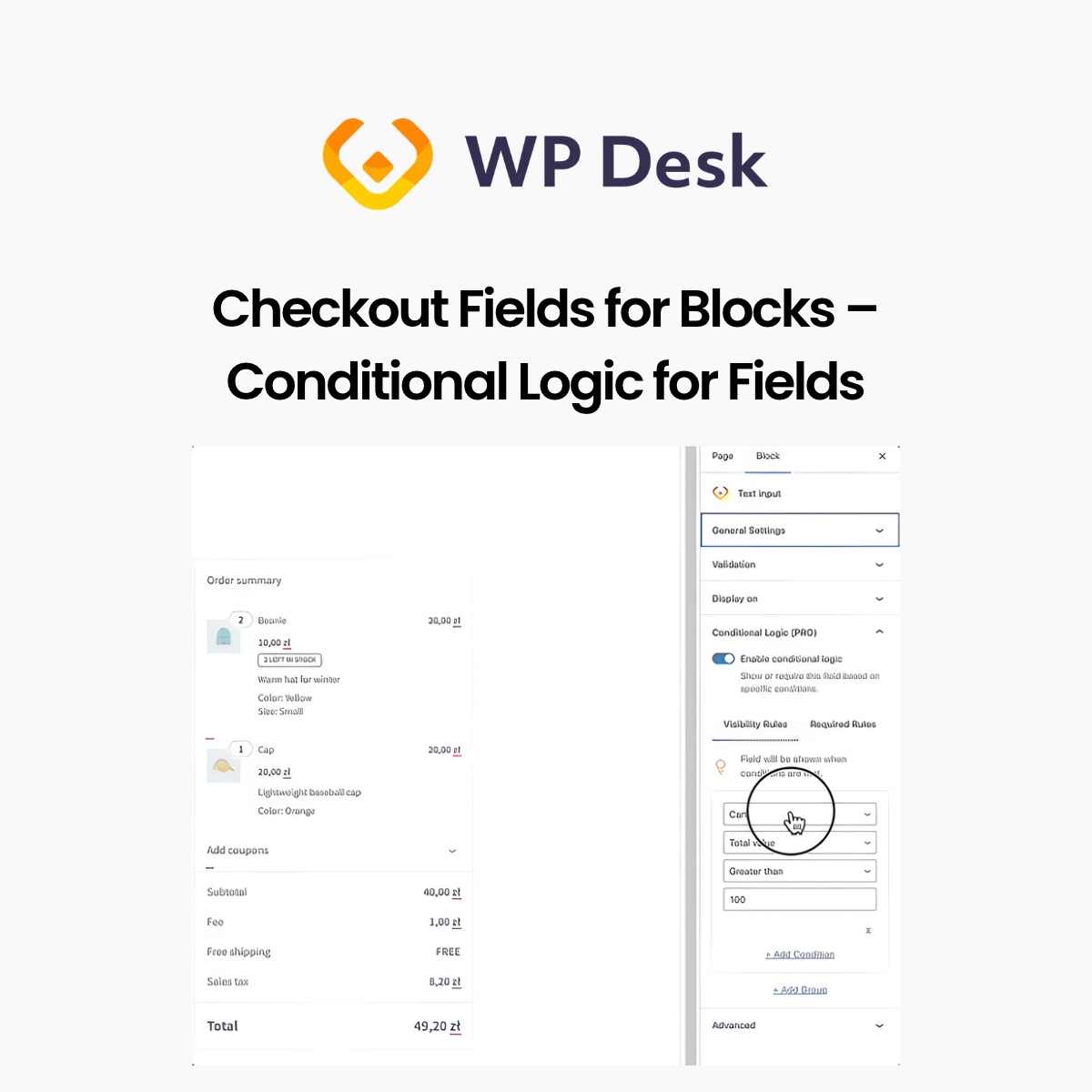
This plugin is an add-on for the free Checkout Fields for Blocks plugin. It lets store owners set rules that decide when a checkout field is shown or hidden, using conditions such as cart contents, shipping method, payment method, user role, order value or dates. Rules are built in an interface without writing code.
Key Features
- Dynamic field visibility – Checkout fields can be shown or hidden automatically whenever the conditions you set are met.
- Multiple condition types – Rules can be based on the cart, shipping method, payment method, user roles, product categories and similar factors.
- Advanced operators – Conditions can compare values with operators such as equals, not equals, contains, and greater or less than.
- No coding required – Store owners build conditional rules through an easy-to-use interface instead of custom code.
- Works with free plugin – The add-on integrates directly with the free Checkout Fields for Blocks plugin.
- Cart-based rules – A field can be tied to what is in the cart, for example showing a gift message field only when a specific product is present.
- Shipping method rules – Extra fields can be requested when a particular shipping method, such as express shipping, is chosen.
- Date-based rules – Fields can be activated for a limited period, such as holiday or Black Friday promotions.
Who Is It For
WooCommerce store owners using the Blocks checkout who want a more tailored checkout form. It suits shops that need different fields depending on what is ordered, how it ships, how it is paid for, or who the customer is, without custom development.