


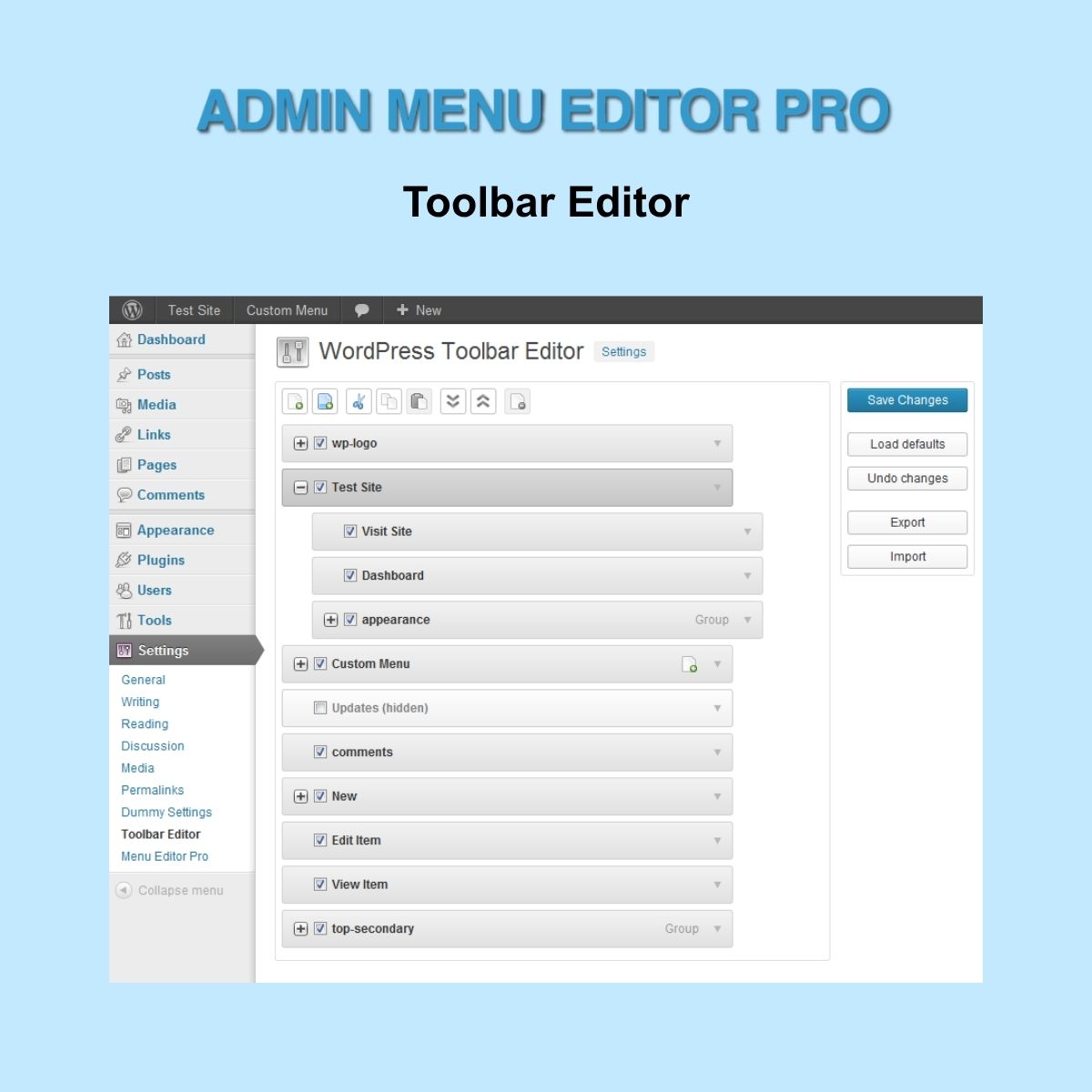
Admin Menu Editor Pro – Toolbar Editor
$4.99 Free for Members
Admin Menu Editor Pro – Toolbar Editor lets WordPress administrators customize the admin bar without coding. Hide items, reorder them, edit properties, and add new entries.
| Version | 1.5.2 |
|---|---|
| Last Updated | August 12, 2026 |
| Type | WordPress Plugin |
| License | GPL v2 or later |
| Live Demo | View demo → |
100% GPL · Original files · Unlimited sites
- Original, unmodified files — delivered exactly as distributed by the developer
- GPL licensed — use it on unlimited websites, personal or client
- Free updates — new versions appear here as soon as they are released
- Verified downloads — every file is integrity-checked (SHA-256) before release
Distributed under the GNU General Public License. Not affiliated with the original developer; official support, license keys and developer-hosted services (such as one-click updates) are available only from the developer.
Secure checkout with PayPal · GPL licensed · Instant download
Description
Admin Menu Editor Pro – Toolbar Editor is a WordPress add-on for customizing the admin bar. It provides a user-friendly interface to manage toolbar items without writing code. You can hide items, rearrange them, edit their properties, and create new entries.
Key Features
- Hide Toolbar Items – Remove individual toolbar items or entire groups to keep the admin bar cleaner.
- Drag and Drop Reordering – Rearrange toolbar items by dragging and dropping them into your preferred order.
- Edit Item Properties – Change the title, URL, and CSS class of toolbar items to match your branding.
- Create New Entries – Add brand-new toolbar entries from scratch to control what appears in the admin bar.
- Import and Export Settings – Move your custom toolbar settings between single-site and multisite installations.
Who Is It For
This tool is for WordPress administrators, especially agencies managing multiple dashboards, who want a consistent and branded admin experience. It helps improve usability for clients and streamline workflow.







